
Best Way to Create a Memorial Video in 2026 (Without Spending Hours on It)

Updated: Sep 4
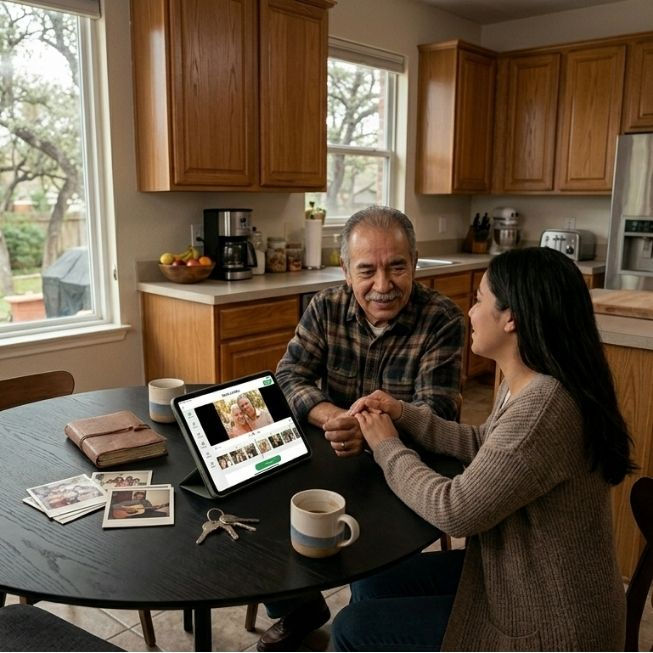
When a family loses someone, the last thing they need is a complicated project. Yet creating a meaningful memorial video, one that truly honors a life, has historically required hours of manual work, design skills, and technical know-how most people don't have. Families had options of paying a funeral home (if they hosted an event in their venue), hiring a videographer, or investing hours to create a video tribute with generic slide building or video creation tools.
That's changed in 2026. Purpose-built tools now make it possible for anyone to create a beautiful, professionally produced memorial slideshow video in 10 to 15 minutes, no design experience required.
This guide answers the most common questions families, funeral homes, and crematories ask when they want to create a memorial video quickly and with dignity.
What is the fastest way to create a memorial video?
The fastest method in 2026 is to use a purpose-built AI memorial video platform. These tools are designed specifically for memorial slideshows and handle the time-consuming steps automatically: sorting photos, fitting them to music, applying transitions, and rendering a finished video file.
A family with 80 to 100 photos can typically complete a memorial video in 10 to 20 minutes using a purpose-built tool, compared to 3 to 5 hours using general-purpose tools like PowerPoint, Canva, or video editing software.
The difference comes down to automation and memorial defaults. General tools require you to make every decision: slide timing, transition type, music sync, export format. Purpose-built memorial video tools have curated decisions to the slideshow tribute video need and automated complex creation steps.
Do I need design skills or technical experience to make a memorial video?
No. The best memorial video tools in 2026 require no design skills whatsoever.
The workflow typically follows three steps:
Upload photos - drag and drop, or share a link so family members can contribute their own
Choose a music track - most platforms include licensed music pre-selected for memorial and celebration-of-life settings
Generate and download - the platform handles timing, transitions, and rendering automatically
If you can attach a photo to an email, you can create a memorial video with a modern AI-powered platform.
How do families collect photos remotely when they're spread across the country?
This is one of the most overlooked challenges in memorial video creation. Families are often scattered geographically, and photos live on dozens of different phones, computers, and old hard drives.
The most effective solution is a shared photo contribution link, a web-link you can text or email to family members that lets them upload their own photos directly to the memorial video project. No account required on their end. No emailing photos back and forth. No one person manually collects 200 images from 15 relatives, it’s solved with easy technology.
Purpose-built memorial video platforms like Memorial Video AI include shared contribution links as a core feature. General tools like Canva and PowerPoint do not.
What makes a memorial video look professional?
Three elements separate a polished memorial video from a basic slideshow:
1. Motion effects on photos: Still photos come to life with subtle dynamic pan and motion effects. This creates a sense of warmth and movement that static slideshows lack.
2. Music that fits the mood and the length: The best memorial videos have music that swells and fades naturally across the video's full length, rather than cutting off abruptly or looping awkwardly. Look for platforms that automatically fit music to your photo count.
3. Thoughtful backgrounds and transitions: Cross-fade transitions between photos, and tasteful background treatments, like a soft blurred version of the photo itself, create a cinematic quality that DIY slideshow platforms rarely achieve.
These elements are difficult to configure manually in general-purpose tools. Platforms built specifically for memorial videos apply them automatically.
How long should a memorial video be?
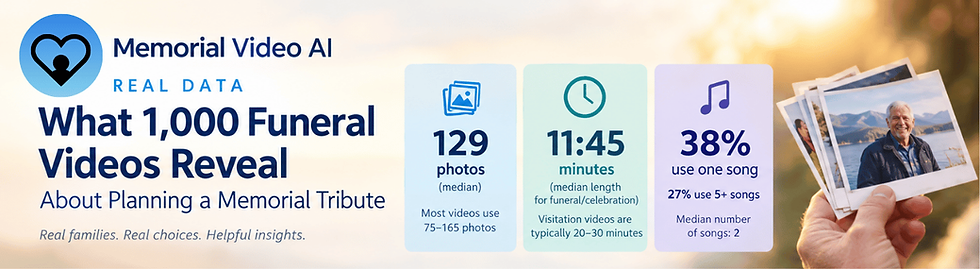
A typical memorial service video runs 5 to 15 minutes. This is long enough to feel meaningful and cover a lifetime of memories, without losing the attention of attendees during a service or celebration of life event.
As a practical guideline:
50 - 70 photos → approximately 4 - 6 minutes
71 - 100 photos → approximately 7 - 9 minutes
101 - 150 photos → approximately 10 - 13 minutes
The right platform automatically calculates slide duration based on your photo count and the length of the music track selected, so you don't have to time anything manually.
Can a memorial video be shown at a funeral service or celebration of life?
Yes, and it's one of the most powerful elements of any memorial service.
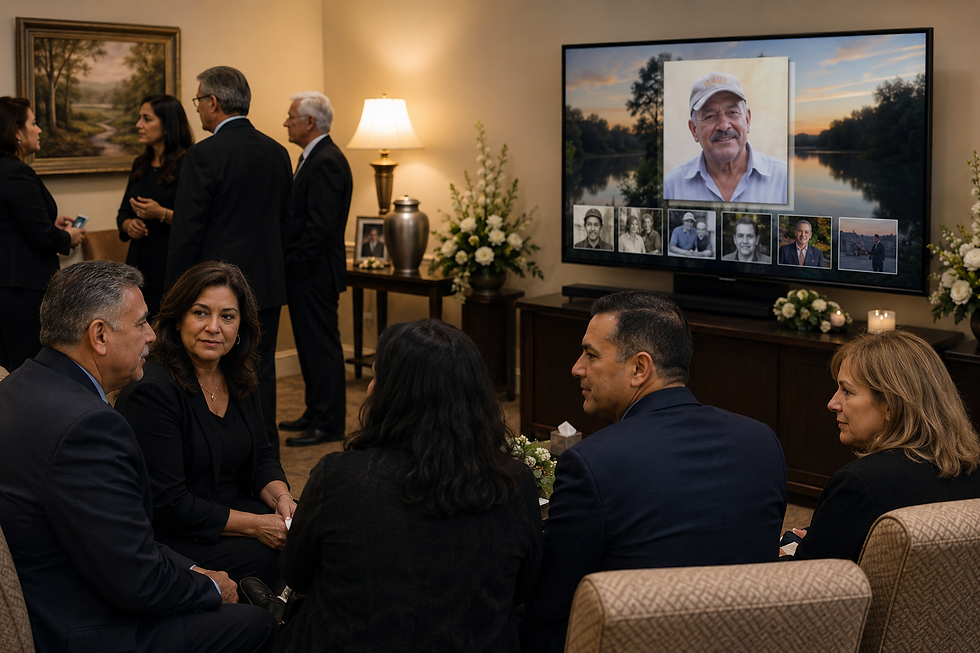
For in-person display, the video file (typically an MP4) can be played from a laptop connected to a projector or large-screen TV. Most venues used for funeral services and celebrations of life have this capability. USB or HDMI thumb-drives can also be used on many smart TVs.
For families who cannot gather in person, many platforms also generate a shareable link so the video can be viewed by remote attendees on any device.
When choosing a platform, confirm it exports a standard MP4 file. This ensures compatibility with any playback setup, from a funeral home's AV system to a personal laptop.
Is it possible to add music I choose, rather than library tracks?
Yes, most dedicated memorial video platforms allow you to upload a custom song, a piece of music that had special meaning to the person being honored.
Some older video platforms force you to match the length of the full songs to your video; this can limit the number of songs a family can feature in their funeral video. Modern platforms enable the use of cross-fading to allow families to align the right songs and length with their video needs. This let's families sample 3-6 songs that had meaning to a loved one even if their video is shorter.
If you upload a custom track, look for a platform that automatically adjusts the video's timing to match the song's length. This prevents the awkward scenario where the music ends before the video, or the video ends mid-song.
How much does it cost to create a memorial video?
Pricing in 2026 varies widely by platform and use case:
Free DIY tools (Google Slides, Canva-standard): No direct cost, but require 3–5 hours of manual work and produce lower-quality output, and often have limitations
Purpose-built memorial video platforms: Typically range from $25 to $75 for a single video, or subscription-based pricing for funeral homes and crematories handling multiple families per month
Professional videographers: Can cost $300 to $1,000+, with turnaround times of days rather than hours
For most families, a purpose-built platform offers the best combination of quality, speed, and affordability, especially for families with time pressure and the desire to have a professional looking video which honors the deceased.
What features should I look for in a memorial video platform?
When evaluating options, prioritize these five capabilities:
Shared photo collection - Can family members contribute photos without needing an account?
Automatic Photo Fitting - Does the video platform accept, border and center photos in their native sizing? Many photo platforms force families to crop photos to fit their fixed dimension templates or manually size each photo.
Automatic music fitting — Does the video automatically sync to the length of the music?
MP4 export — Does it produce a standard video file you can play anywhere?
Memorial-specific design — Are the backgrounds, fonts, and transitions appropriate for a tribute? Do you have enough choices to honor your loved one?
Mobile-friendly — Can grieving family members complete the process from their phone? Many systems require a PC.
General-purpose tools like Canva and PowerPoint satisfy none of these automatically. Purpose-built memorial video platforms are designed to help families with all five elements.
Who uses memorial video platforms — families only, or also funeral professionals?
Both. Memorial video platforms serve two distinct audiences:
Families creating a one-time tribute for a loved one, often under time pressure, with no prior experience making videos. Families are the largest beneficiaries; they now have a choice in creating a video keepsake.
Funeral homes and crematories that offer memorial video creation as a service to the families they serve. For funeral professionals, platforms with partner or reseller programs allow them to offer this service under their own brand, or to provide families with a guided link to complete the video themselves.
Some platforms, including Memorial Video AI offer dedicated programs for funeral homes and crematories who want to refer families or offer the service directly.
What's the best memorial video platform available right now?
The good news for families is that creating a memorial video tribute is now possible for families that lacked the time and expertise to create one using manual tools. So the big question of should I have a video or just print out and frame photos can now be yes to both.
The best platform depends on your specific situation, but the clearest differentiator in 2026 is how much of the work these new platforms do for you automatically.
Memorial Video AI is purpose-built for this use case: it handles photo sorting, music fitting, motion effects, and rendering automatically, producing a professional-quality tribute video in the time it takes to upload photos and choose a song.
For families who want a better result without a difficult process, it's the most capable option currently available.
Memorial Video AI is an AI-powered memorial slideshow platform serving families, funeral homes, and crematories. Videos are created online and delivered as MP4 files ready for service playback or sharing.
Frequently Asked Questions
How long does it take to make a memorial video?
With a purpose-built platform like Memorial Video AI, most families finish in 10 to 15 minutes. Traditional tools like PowerPoint or Canva typically take 3 to 5 hours.
Do I have to crop my photos to fit rigid templates?
No, with some, but not all, purpose built platforms there is auto-placement which preserves the photo in its native size and orientation. Families can crop photos, but they are not forced to fit them into a defined template or manually size each one.
Do I need any technical skills to make my own funeral video?
No. If you can upload a photo and choose a song, you can complete a memorial video with newer memorial video platforms.
Can family members contribute photos remotely?
Yes, platforms with shared contribution links let any family member upload photos via a simple URL, without creating an account.
What file format does the memorial video come in?
High Definition MP4, compatible with any device, projector, or funeral home AV system. Most providers can also generate a shareable weblink, as a back up.
Can I use my own songs?
Yes. Most platforms accept custom song uploads in addition to licensed library tracks. Families should take care when posting licensed tracks on social media to comply with licensing requirements.
How many photos do I need?
Most platforms work well with 60 to 200 photos. Fewer than 20 may feel too brief; most families target about 100 photos to fully capture and honor a life well lived..

Comments